
App preview
Marlow Posture
Movement breaks & routines
A small pause. A movement you choose. Illustrated activities and familiar short routines, with room to learn, stop and return at your own pace.
Marlow Posture is not open to everyone yet.
About accessA little room between one thing and the next
Sometimes the next useful thing is a change of activity: leaving the screen for a while, finding a familiar movement, or making room for a quieter moment before you begin again.
Marlow Posture is being built around those small transitions. Choose something that fits your available space and position, look through the illustrated guidance, and decide when you are ready to practise. The invitation is to give the pause some attention, then approach the next part of your day with a little more room to feel ready.
The app brings together 46 illustrated exercises and 14 short routines. They include seated, standing, walking and floor activities, with equipment and cautions attached to the relevant guidance. Some activities need only a suitable space; others call for a chair, wall, mat or other equipment. The activity detail explains what is needed before you begin.
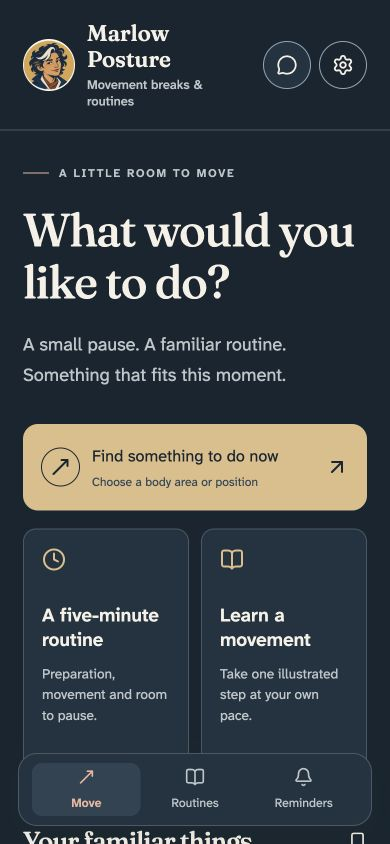
Screens shown in phone-sized browser layouts. App access is limited.
Choose, learn, then practise
Start with Find something to do now, or browse the routines. Search by name, body area or position. A seated choice and a standing choice can lead to different activities; the app checks equipment and your current setting during preparation.
For example: choose Neck and Seated, open Gentle neck rotation, and select Learn & begin. Preparation asks you to confirm the relevant position and chair. The learning steps then let you examine the illustrations and accompanying text before choosing Practise when ready.
The flow gives each part its own space:
- Prepare: check the position, equipment and activity cautions. Advance when the required setup is confirmed.
- Learn: move through six illustrated steps with Previous and Next. Live text explains each step, so you can take time to understand it.
- Practise: begin deliberately, with an optional timer if you choose one. You control moving on, pausing and stopping.
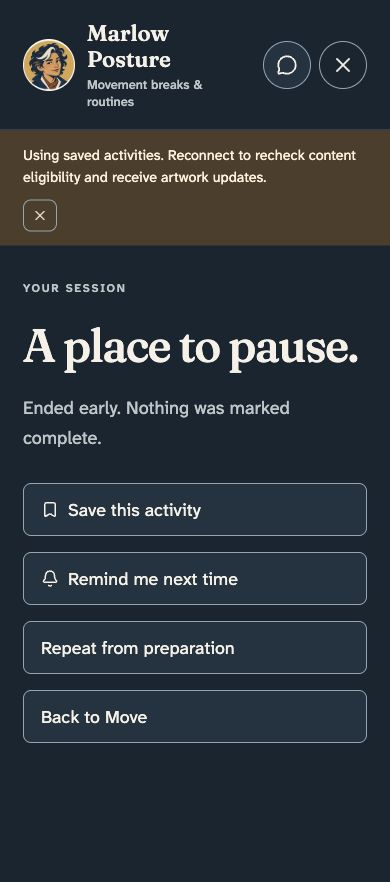
- Finish: decide how the session went. Completion records what you report; it is not inferred from time passing.
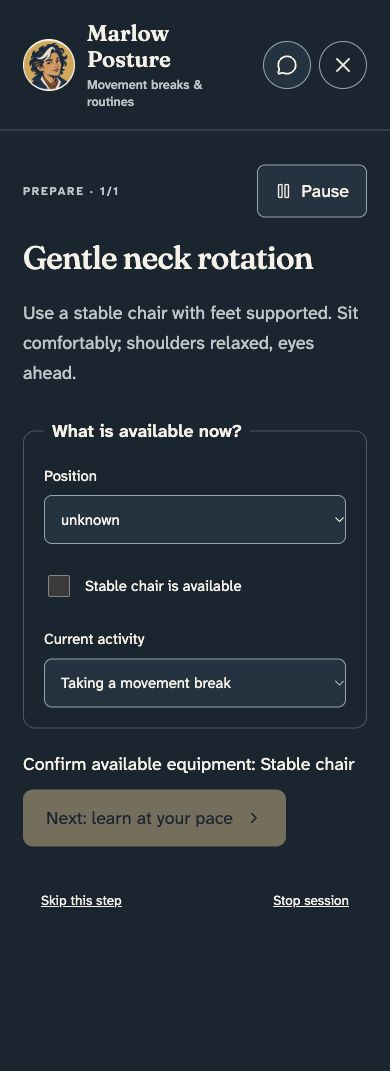
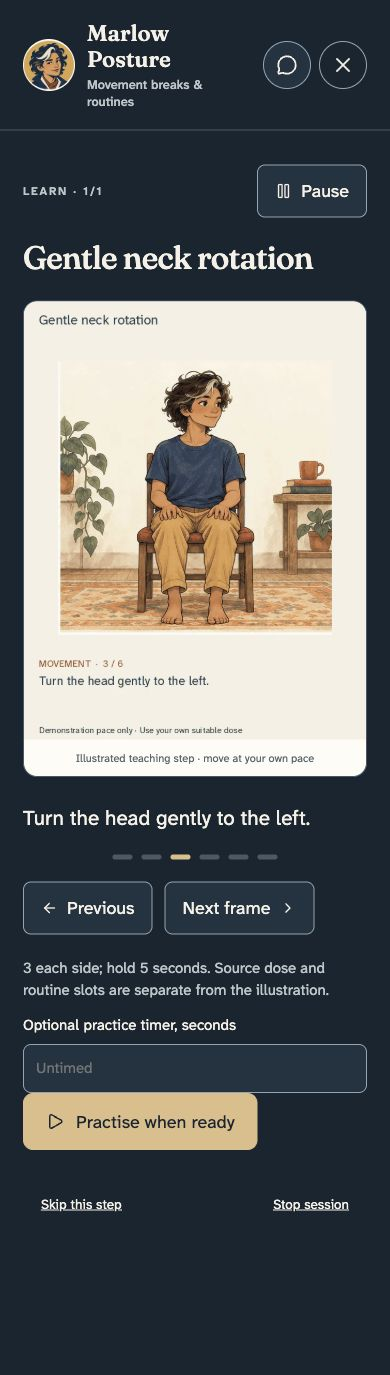
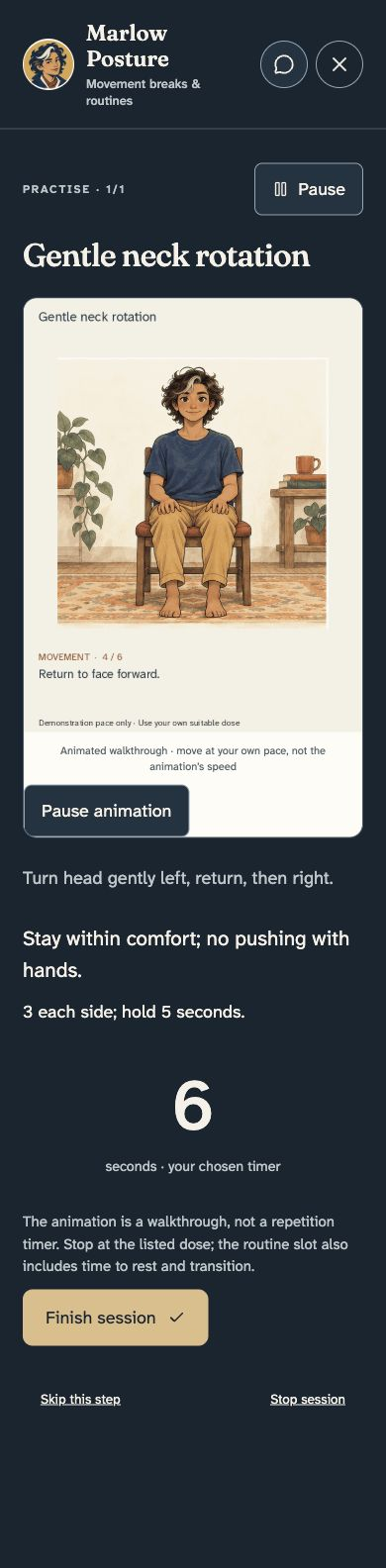
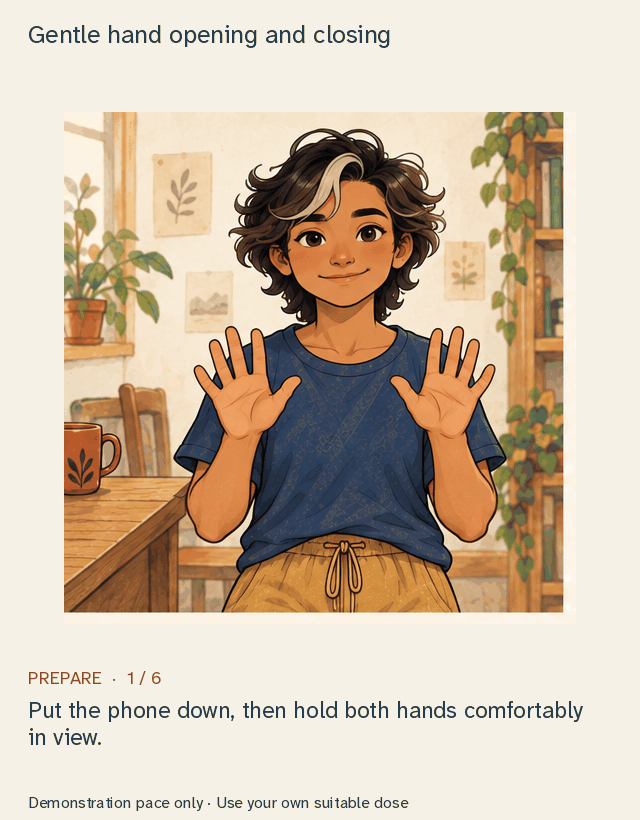
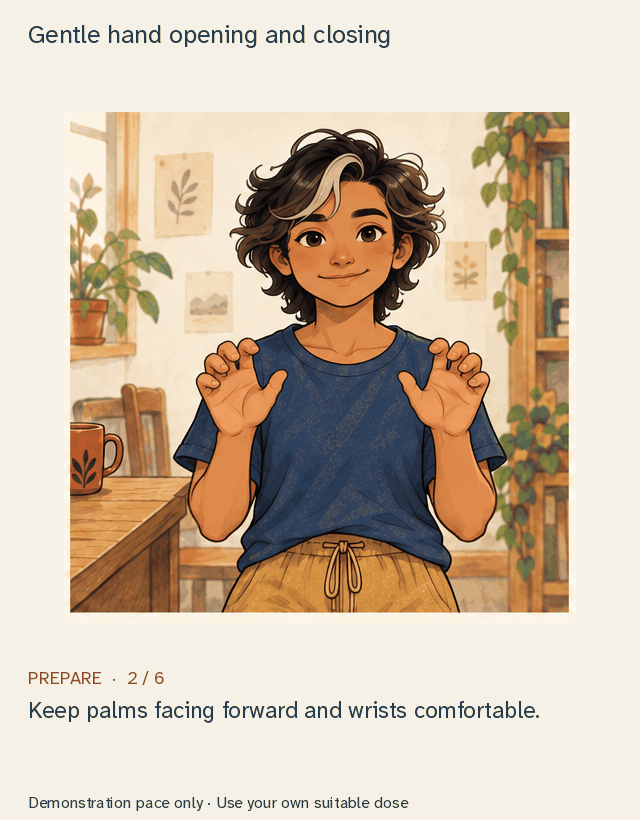
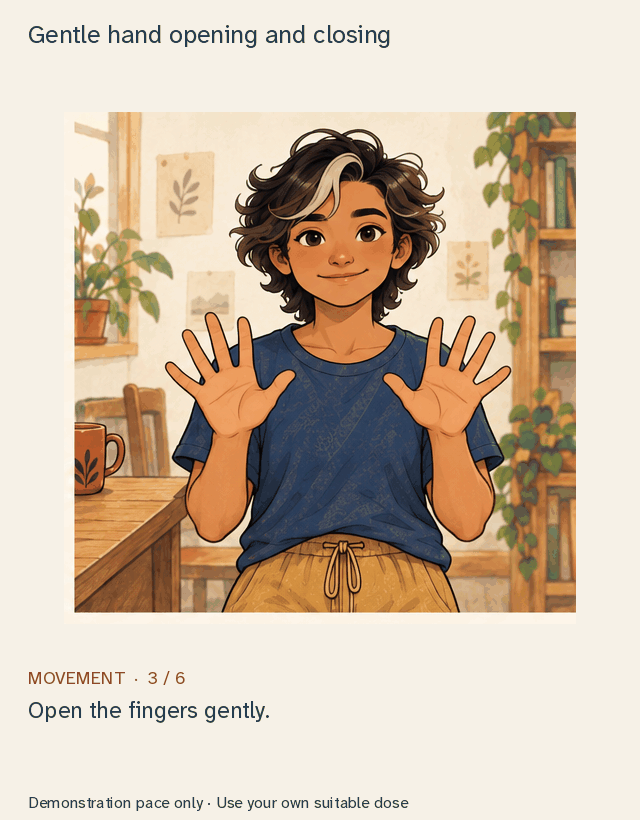
The illustrations show preparation and movement in a series of still poses. Follow the written steps at your own pace; the animation does not set your speed, watch your form or count repetitions.
Explore an illustration
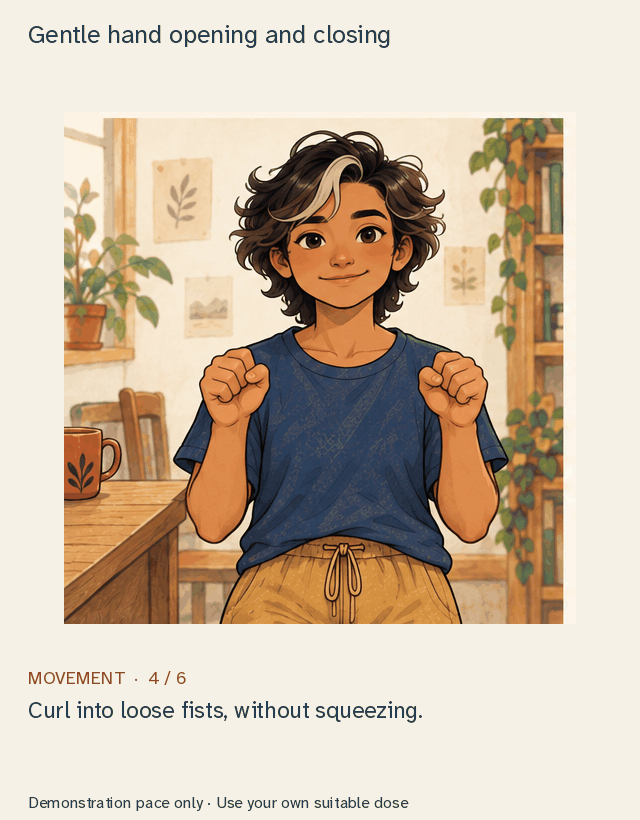
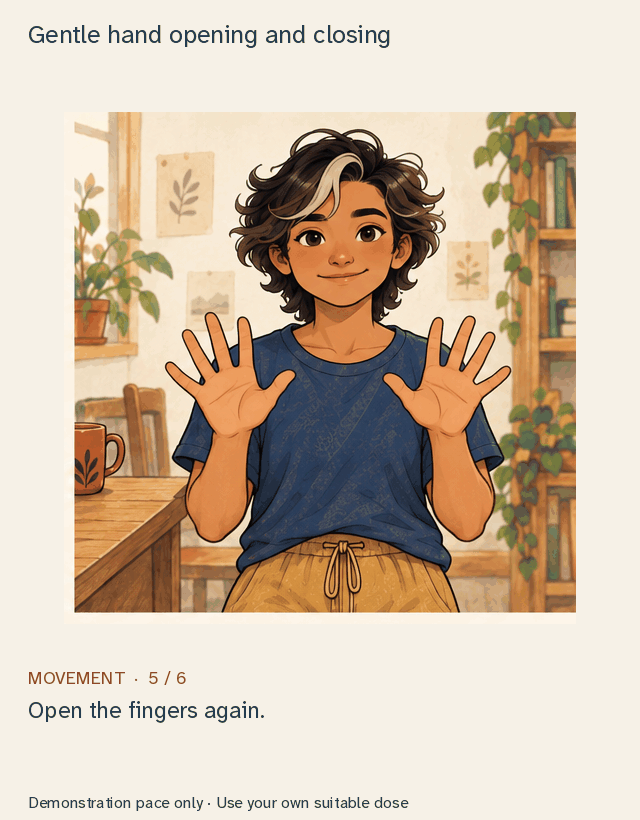
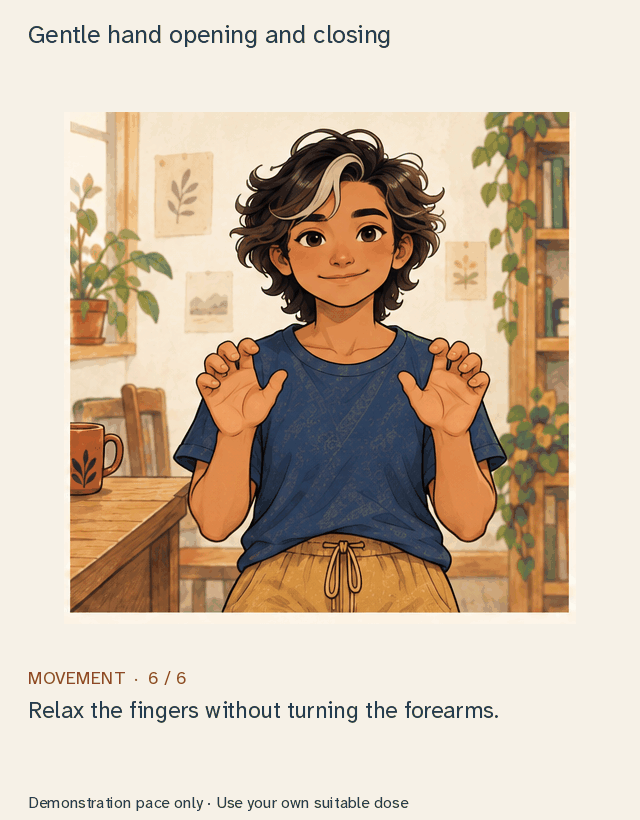
Gentle hand opening and closing
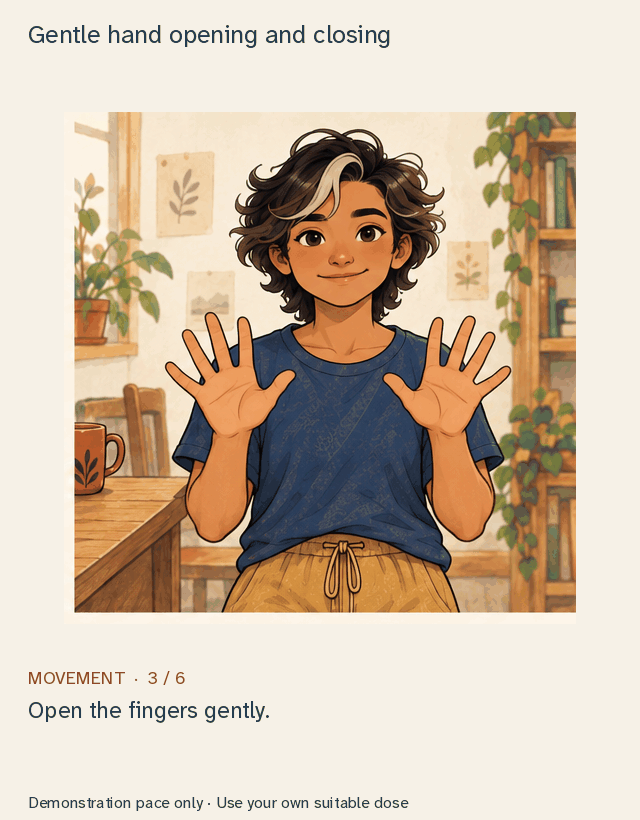
Still preview · Step 3 of 6
Open the fingers gently.
A six-frame illustration of hand opening and closing. Preview the steps at your own pace; the animation does not count repetitions. Follow the written guidance at your own pace. The loop includes getting ready each time; it does not set a pace for breathing or movement.
Read all the steps
A familiar routine, without a score to maintain
You might want to learn one activity carefully, return to a saved favorite, or follow a five-minute routine. The routines include preparation and transitions; five minutes describes their planned structure, rather than a wait you must complete before you can leave.
Walk away from the screen, for example, makes space for preparation, an easy walking break and a comfortable finish. Other routines offer different kinds of activity. Movement breaks, planned strength and calm practice have different purposes; the relevant detail explains the sequence and context.
Save an activity to find it again among your familiar things. There is no streak to protect, score to improve or missed-day penalty. Return because the activity fits your day, whenever that happens to be.
View the walking routine

Stop when you need to
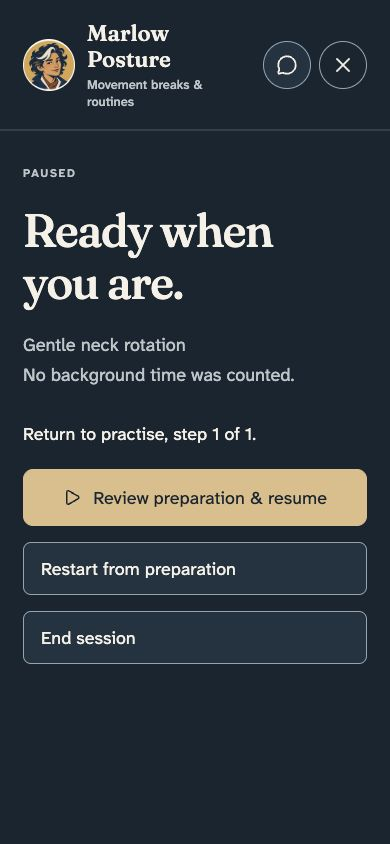
Pause keeps your place in an activity. When you return, a preparation check helps you get ready to continue.
You can skip a step or end early. Ending early is recorded separately from completing a routine. You stay in charge of how much time you spend.
Comfort and different ways to use the app
Colour-blindness and clear state cues
Written labels show the activity stage, paused state, step numbers, cautions and errors. Checkmarks show your selections, so you do not need to rely on colour alone to find your place.
Left- and right-handed use
Use labelled buttons without having to drag precisely. Previous and Next sit below the illustration; Pause and exit are higher up. There is no setting to swap the controls for your other hand.
Reading, animation and sound
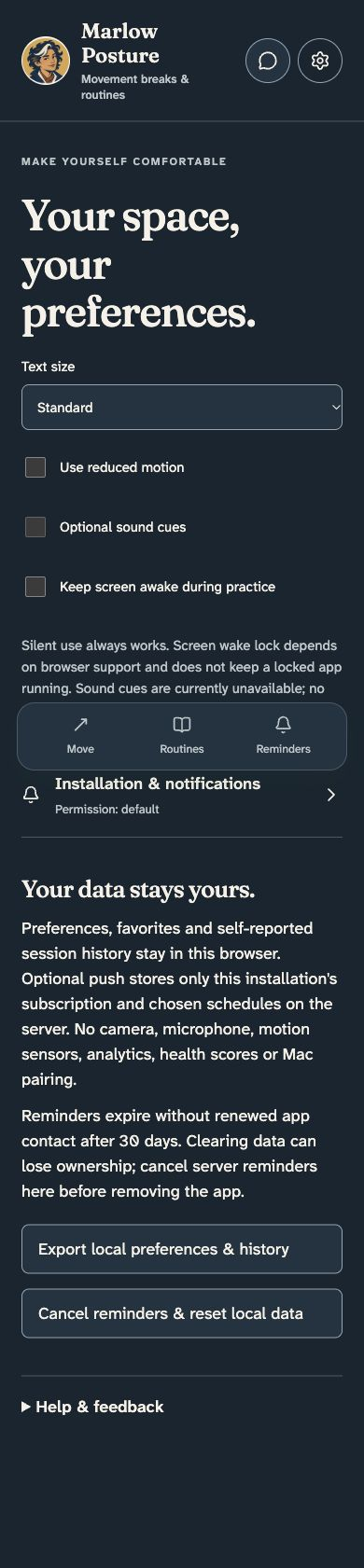
Choose larger text in settings. Learn shows still steps you can move through one at a time. Reduced motion switches animations to still images, and you can stop a walkthrough whenever you want. Playing it again starts from the beginning.
Some words are part of the pictures, so they grow with the image rather than changing with the text setting. The separate learning text helps you follow each step. A larger screen may make small captions easier to read.
The guidance is silent and in English. If you use a keyboard or screen reader, some parts may still need help to follow.
View the settings
If you like…
- Short activity breaks such as those offered by Wakeout: the shared appeal is making room for movement in an ordinary day. Marlow Posture offers illustrated activities you can follow yourself and short routines; it does not provide camera-controlled movement games or measured activity feedback.
- Break tools such as Stretchly: remembering to step away from a task is a related interest. Stretchly is a computer break reminder; Marlow Posture helps you choose and follow an activity. Marlow Posture does not send reminders yet.
- Illustrated activity libraries and simple practice timers: you may appreciate being able to inspect a step, return to a familiar activity and choose your own pace. The timer is optional and does not measure whether an exercise was performed.
Our commitments
Choose when to start and finish, save familiar activities in your browser, and choose text and motion settings that suit you. There are no scores or streaks to keep up. Our commitments explains the care behind the studio’s work.
Access is currently limited to the studio. Pricing will be explained when the app is available more widely.
The activities offer general educational guidance, not a personal assessment. The app does not assess your condition or check your movements. Read the cautions and preparation details for each activity before beginning.
Practical details
| What matters | What you need to know |
|---|---|
| Access | The app is currently available only to the studio. This page gives you a preview. |
| Using the app | Open it in a browser once access is available. It is designed with phones in mind. |
| Camera and tracking | No camera, movement tracking or exercise detection is used. |
| Mac and Watch | This is a separate app from the Mac posture watcher. It does not connect to an Apple Watch. |
| Saving your place | Favourites, settings, your current activity and the history you record stay in this browser. They do not automatically move to another device. |
| Exporting | You can export settings and history for your own records. There is no option to import them again. Clearing browser data can remove saved information. |
| Internet | Keep a connection available for reliable access to activities and illustrations. Recently opened content may remain available if the connection drops; the whole library is not downloaded at once. |
| Reminders | Reminders are not available yet. Start an activity whenever it suits you instead. |
A few useful questions
Will this watch my posture while I work?
Marlow Posture guides an activity you choose. It does not use your camera, detect stillness or score posture. The separate Mac watcher is a different product.
Do I have to follow the animation’s speed?
No. Learn is controlled step by step. The animation is an illustration, and its loop is independent of the written guidance and optional timer. It is not a repetition counter or breathing pacer.
Can I use it without reminders?
Yes. Choose and start activities whenever you like. You do not need to allow notifications. Reminders are not available yet.
Can I stop without losing a streak or failing a routine?
There is no streak to lose. Pause or end when you wish; ending early is kept distinct from reporting completion.
Access
Marlow Posture is currently available only to the studio. This page offers a preview of the activities and ways to use it.
Have a question? Email Marlow. When the app is available more widely, this page will explain how to open it.
From Marlow’s Journal
Read Many ways to a better moment, A fieldbook on the screen and Come back when you like for the studio’s interest in useful pauses, welcoming places and the freedom to return.