
Logic puzzles Development beta
Sudoku & Killer Sudoku
A little room to think.
Choose a number puzzle, find your next deduction, and see what follows. This beta brings Classic Sudoku and Killer Sudoku into the same place.
Web beta · Chrome on macOS; WebKit desktop tested
Play Sudoku betaHow to add it to your Home Screen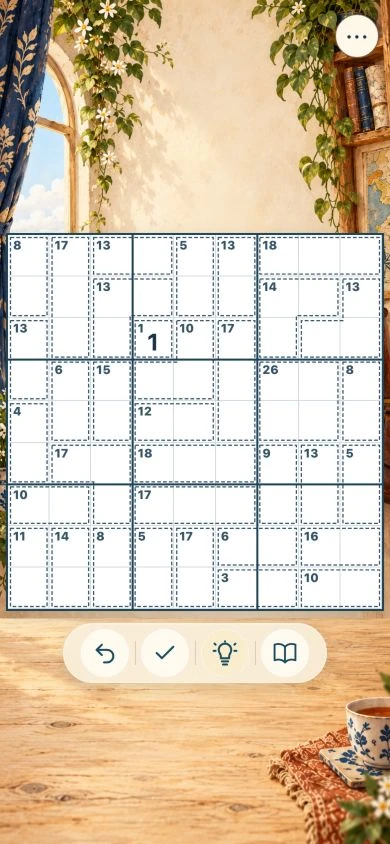
How it works
Choose a puzzle
Pick an available mode and puzzle from the beta’s current collection.
Follow the relationships
Use the visible rules and clues to work out a number before you enter it.
Take the next step
Keep looking, make notes if available, or ask for help if the current build offers it.
Two ways into the numbers
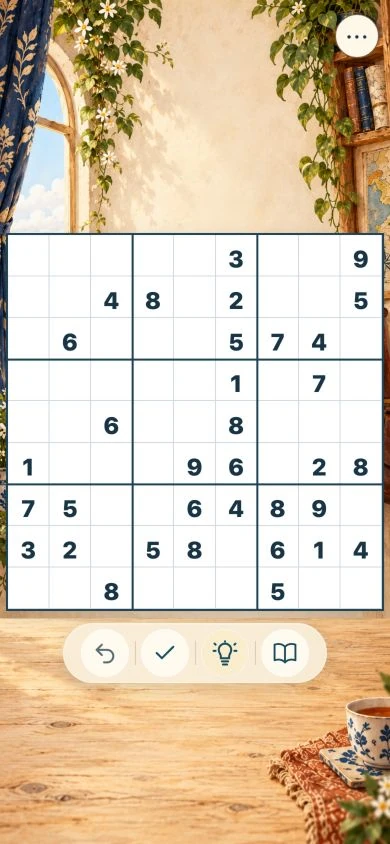
Classic Sudoku asks you to place the digits 1 to 9 so that each row, column and 3×3 box contains each digit once. Killer Sudoku adds cages with a total: the numbers in each cage must add to that total without repeating.
The two forms share the pleasure of a deduction you can explain. In one, you follow the relationships between rows, columns and boxes. In the other, the cage totals give you another useful way to look.
Help that leaves you a choice
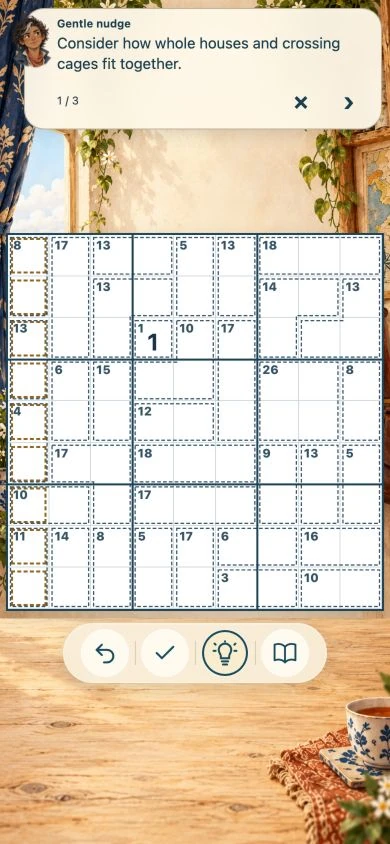
When you ask for a hint, the explanation unfolds a step at a time. You can stop at a nudge, look more closely at the relationship, or ask for the deduction. You choose how much to reveal.
Controls for the way you hold your phone
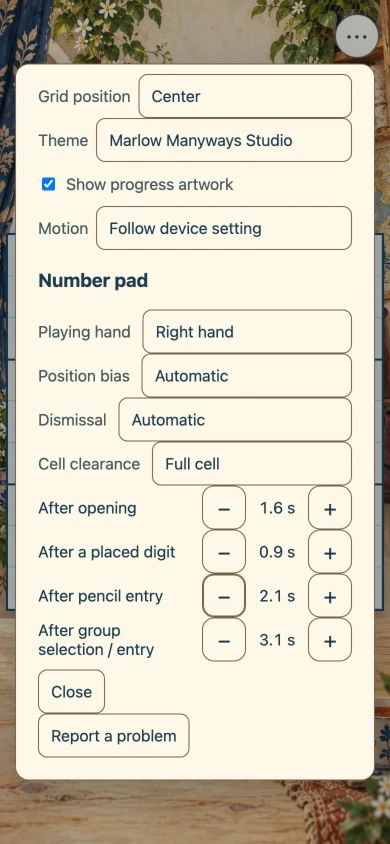
Choose the left- or right-handed arrangement that suits you. The controls move to make entry easier to reach; the puzzle keeps its familiar orientation.
A closer look
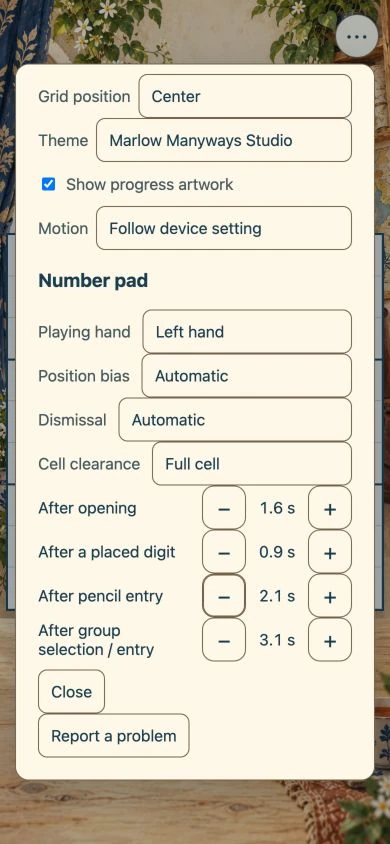
Current build details
Before you start
- Devices & browsers
- Checked in desktop Chromium and WebKit, including narrow phone-sized layouts. A physical iPhone Safari and Home Screen check remains to be completed.
- Accounts
- No account is needed for the core beta.
- Internet & offline
- After the required content has downloaded, the tested game content can be played without a connection. Check the download details for what is included. Open the game online first and let its initial download finish. Browser storage may be removed by the browser; online feedback delivery needs a connection. The bundled puzzle libraries and hint solver are included in the prepared offline cache; fetching an update needs a connection.
- Saving & returning
- Progress is saved on this device in this browser or installed web app. Clearing its stored data may remove that progress. Saves do not move between devices unless the app explicitly offers that option. Moving between marlowmanyways.com and its web.app mirror does not automatically transfer progress. Sudoku also offers a local progress backup export/import for deliberate transfer.
- Controls & access
- Tap or click the labelled controls. Keyboard focus and basic controls have been checked; full VoiceOver and physical-device accessibility checks remain.
- Permissions
- Core play needs no camera, microphone or location access.
Build 2a3dc22d4ca1940bb6d2 · checked 2026-10-17
Keep it on your Home Screen
You can open the beta from its web link. On iPhone, you can also add it to your Home Screen for a familiar app-like way to return.
- Open the app itself in Safari.
- Open the Share menu, then choose Add to Home Screen.
- If Open as Web App is offered, leave it on, then tap Add.
- Open the new icon to return to the app.
Home Screen installation does not by itself confirm offline access. Check this beta’s offline details below.
Open Sudoku & Killer Sudoku itself before adding it. This product page does not install the app. Browser and Home Screen progress may be stored separately; do not assume a saved game transfers automatically.
Apple’s Home Screen instructions. Installation and reopening on a physical iPhone remain to be checked.
A few useful questions
What is Killer Sudoku?
It uses the usual Sudoku row, column and box rules, plus cages whose numbers add up to a stated total without repeating. “Killer” is the conventional name of that puzzle variant.
Does a hint reveal the whole answer?
Hints are requested in steps. You decide how far to continue through the explanation.
Can I play with either hand?
Yes. This build offers left- and right-handed control arrangements. Choose the one that fits the way you hold your phone.
Help shape the beta
Something useful, something awkward, or something missing? I would like to hear about it.
Include the app name, what you expected, what happened, and your device and browser. A screenshot can help. Please leave out passwords and personal or health information.
Send beta feedbackGet help